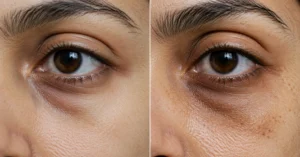
Digital eye strain is what happens when your eyes and focus are forced to keep up with screens for too long. The result is usually dry eyes, blurry vision, headaches, and that heavy, tired feeling that makes even a short email look annoying. The fix is not one miracle product. It’s a routine: how you sit, how often you blink, how you rest your eyes, and how you set up your screen.
This guide keeps it practical. You’ll get the main causes, the prevention habits that actually help, a simple daily routine, and the mistakes that keep people stuck in the same cycle. If your eyes feel worse after work, scrolling, or gaming, start here.
Quick Overview
Digital eye strain usually builds from three things: too much close-up focus, too little blinking, and poor screen setup. Dryness is common because people blink less when they look at screens, and that dryness can make vision feel off even when the eyes are otherwise healthy. The problem is not always permanent damage — often it’s a strain pattern that keeps repeating.
The good news is that small changes often help fast. Better lighting, regular breaks, and the right screen distance can reduce discomfort within days. But if you ignore the habits that caused it, the symptoms usually come back by the next long work session.
Causes
Screen use is the obvious trigger, but the real issue is how the eyes work during screen time. When you stare at a monitor or phone, your eyes hold one near distance for long stretches, and the focusing muscles stay active without much relief. That is why reading on a screen for two hours can feel more exhausting than reading a printed page for the same amount of time.
Dry indoor air, air conditioning, and poor posture make it worse. A screen that sits too high, too low, too bright, or too close can add strain without you noticing. Contact lens wearers, people with uncorrected vision, and anyone already dealing with dry eyes usually feel it sooner.
Prevention
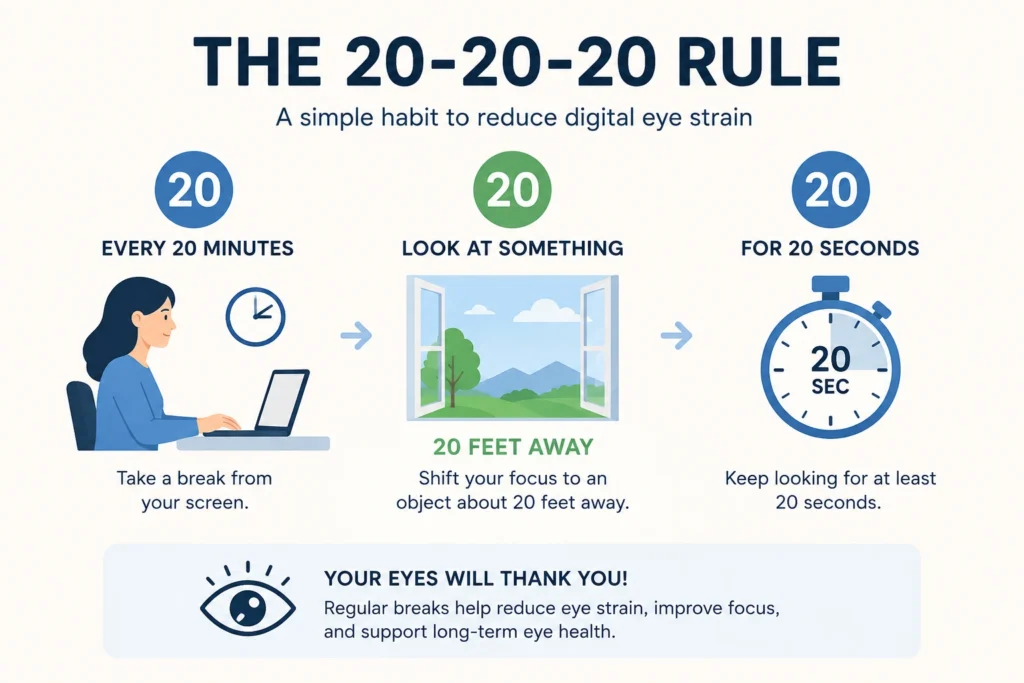
The simplest prevention habit is to break the stare cycle before your eyes start to complain. A short look away every 20 minutes is more useful than waiting until your head hurts. Blink fully, not halfway. Half-blinks are one reason screen users end the day with gritty, dry eyes.
Screen setup matters just as much as breaks. Keep the screen about an arm’s length away, lower brightness to match the room, and avoid glare from windows or overhead lights. If you use glasses, make sure your prescription is current. A small focusing error can turn a normal workday into a headache factory.
Routine Guide
Start the day by checking your screen setup before you start working. Put the monitor so the top of the screen sits roughly at eye level or slightly below, then sit far enough back that text is easy to read without leaning forward. If you have to crane your neck, the setup is already wrong.
Use a simple eye care routine during the day:
- Every 20 minutes, look at something far away for 20 seconds.
- Blink slowly 10 times.
- Stand up, stretch your shoulders, and relax your jaw.
- If your eyes feel dry, use lubricating drops if they suit you.
- Take a longer break after each major work block.
At night, stop adding screen strain when your eyes are already tired. Lower brightness, reduce blue-heavy light in the room, and avoid long scrolling sessions right before sleep. That last habit often makes the whole problem worse because tired eyes and poor sleep are a bad combination.
Common Mistakes
The most common mistake is assuming the problem is only the screen itself. It’s usually the screen plus your habits, your lighting, and your baseline eye condition. People keep changing apps and still feel bad because they never touch the basics.
Another mistake is using the wrong kind of relief. Rubbing tired eyes feels good for a second and then usually makes irritation worse. So does pushing through symptoms for hours and hoping they disappear on their own. If your eyes are dry, scratched-feeling, or persistently blurry, take the signal seriously.
FAQ
How do I know if I have digital eye strain?
You usually notice tired eyes, dryness, blurred vision, headaches, or trouble focusing after screen time. If the symptoms rise after long laptop or phone use and ease when you rest, digital eye strain is a likely explanation. If symptoms are severe or sudden, get checked by an eye professional.
What helps digital eye strain the fastest?
A screen break, a few full blinks, and a walk away from the monitor usually help first. Lubricating eye drops can also help if dryness is part of the problem. Relief is often quickest when you combine a break with better lighting and reduced screen brightness.
Can digital eye strain affect healthy vision?
It usually causes temporary discomfort rather than lasting damage, but it can make your vision feel worse during the day. That matters because persistent strain can affect work, focus, and comfort. If the problem keeps returning, the setup or prescription probably needs attention.
Do eye exercises help?
Simple rest breaks help more than complicated eye exercises for most people. Looking far away, blinking fully, and changing posture are the habits that matter most. If you want a routine that supports healthy vision, consistency beats gimmicks.
Continue Exploring
- Beauty guide keeps the eye care topic connected to the rest of the beauty section, which helps readers move from prevention to broader routine planning. It’s the right next step for anyone building a full daily care system.